Showing posts with label operating system. Show all posts

Thursday, July 19, 2012

Windows 8 @ 26-OCT-2012


Microsoft just announced the general availability for Windows 8 will be on October 26, 2012. On this date user should be able to buy Windows 8 to upgrade from existing Windows XP/Vista/7 or buy a new copy of the Operating System.

Microsoft also recently announced promotional price for upgrade from Windows XP/7 to Windows 8 for as low as $19.99.

Read more in the Windows Blog.

:: aerobrainTech ::

Friday, June 1, 2012

Windows 8 Release Preview


Today, 1st of June 2012, Microsoft has announced the arrival of Windows 8 Release Preview.

Below are quoted from windowsteamblog.com:

"For Developers:
Windows 8 presents a huge opportunity for developers to build great new apps for a variety of form factors. If you’re a developer looking to get started developing apps with the Windows 8 Release Preview, I suggest reading this blog post from the Windows 8 app developer blog and this blog post from the Windows Store for developers blog. These two posts will have a lot of information, like where to go to grab the latest tools to begin app development. Developers can also visit the Windows Dev Center for more information on the Windows developer platform and what it means for the Windows 8 Release Preview. In the Windows Store today with the Windows 8 Release Preview, you will notice a lot of incredible new apps – this is just the beginning!

Thursday, March 29, 2012

Creating Bootable USB Installer for Windows 8

In this post, I will show how to create a bootable USB Installer for Windows 8 (and other OS as well).

STEP 1:
Prepare at least 4GB USB Drive. Format using NTFS filesystem.
Also, make sure the partition is active as shown below:
 

Monday, March 26, 2012

Windows 8: Interesting New Features


After get frustrated with the dual-boot, fortunately I have a machine to fully test Windows 8 Consumer Preview with clean install. I format the hard disk, delete all partitions and re-create using the Windows 8 Boot Installer.

Anyway, I'm not gonna talk about the installation experience (in short, it went very well except for the NVIDIA Quadro FX 1500M that is no longer supported by NVIDIA update). What I'm gonna talk about is the new interesting features in Windows 8.

Integrated Email Client and Calendar
Even without Microsoft Outlook (or similar software), Windows 8 comes with the built-in metro application. This application can be setup to access your work email (Exchange), gmail and definitely hotmail! The same goes to the Calendar!

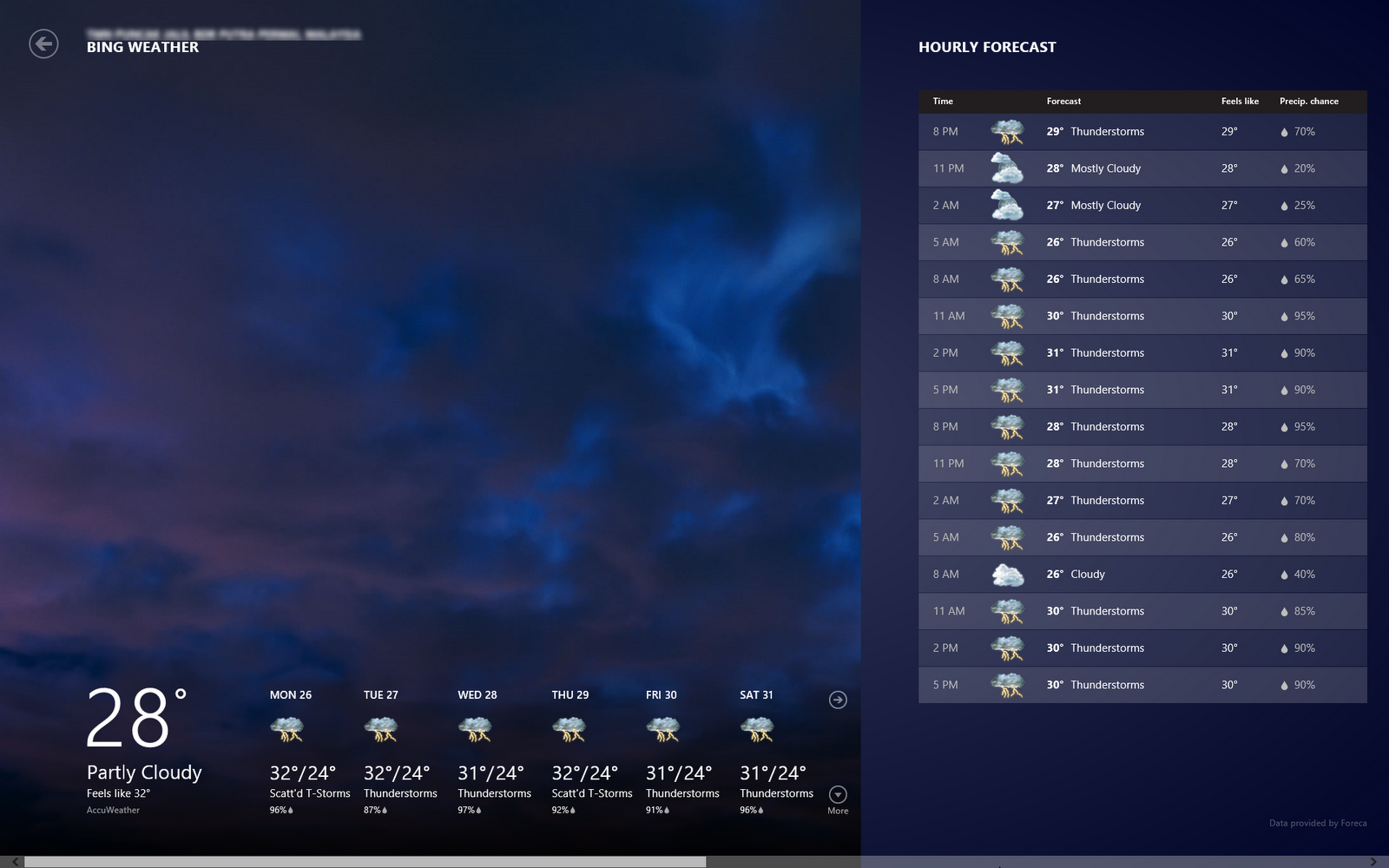
Weather
Interesting part of this weather is that once you allow the application to use your location, it will pull the current and forecast weather for your location.

Windows Store
Although there are not that many applications (yet) in the store (comparing to the Android!), but the look and feel is nice. The games also optimized to the user interface and touch experience. You can try the game 'flow'! Quite a good game to kill time.


Start Page with All the Crucial Information you need!
Interestingly, I found out that the Metro Style Start Menu or Start Page is more that just a shortcut, but it also serves as center of information. Your latest email preview will be shown here, similarly the weather and also the event on your calendar.

New Shortcut Keys
There are new shortcut keys introduced in Windows 8. Below are a few (if not all) that I found:
Windows Key + X
Display setting menu near the old Start Menu

Windows Key + C
Open the Right Bar

Windows Key + F
Open Find Application

Windows Key + H
Open Share List

Windows Key + K
Open Devices List

Windows Key + Q
List All Applications Installed

Windows Key + W
Open Settings

Windows Key + . (period)
View Running Applications as Right Side Bar

Click here to download the Windows 8 Consumer Preview (beta)
Happy Trying the Beta!

:: aerobrainTech ::

Sunday, March 4, 2012

Painful Experience: Windows 8 CP Dual-Boot


Today is the 3rd day I'm trying to install Windows 8 Consumer Preview as a dual-boot with my Windows 7. The dual-boot seems success but Windows 8 still cannot start properly today. Last night it was running properly and it was shut down properly. But today, it does not start properly again. After selecting Windows 8 on the boot menu, what does appear was just blue screen and a cursor. I think I've tried to install more than 10 times.

Before I continue to the list of issues I encountered during the installation, below are the specifications:
  • Machine: DELL Latitude E6420
  • Processor: Intel Core i7
  • RAM: 4GB
  • Current OS: Windows 7 Professional 32-bit
  • Intent to Install: Windows 8 Consumer Preview 64-bit
List of useful tools involved:
Windows Storage Management: Run > diskmgmt.msc
EASEUS Partition Master: Download here

Below are the list of issues: