Showing posts with label windows. Show all posts

Wednesday, March 4, 2015

Windows 10 Build 9926: Start Menu Problem

If suddenly your Start Menu disappear or you just don't like the new look of the Start Menu in Windows 10, you can follow the below steps:
  1. Open Registry Editor (regedit)
  2. Navigate to HKEY_CURRENT_USER> Software> Microsoft> Windows> CurrentVersion> Explorer> Advance
  3. Create a DWORD Key name "EnableXamlStartMenu" and set the value to '0'.
  4. Restart and enjoy!
:: aerobrainTech ::

Saturday, February 28, 2015

Windows 10 Build 9926: Cannot Access Share Folder


Error Message: "The account is not authorized to login from this station"

Solution:

  1. Run Regedit
  2. Navigate to HKLM\SYSTEM\CurrentControlSet\Services\LanmanWorkstation\Parameters
  3. Add DWORD Key "AllowInsecureGuestAuth"
  4. Set Value to 1
  5. Restart
 All the best!

:: aerobrainTech ::

Wednesday, September 3, 2014

How to Forward Port to another IP/Machine on Windows

Let say you want to forward listened port 4422 (at you current machine with IP 192.168.1.111) to port 80 on a machine with IP address 192.168.0.33, here is the command:

netsh interface portproxy add v4tov4 listenport=4422 listenaddress=192.168.1.111 connectport=80 connectaddress=192.168.0.33

If you want to list all the port forwarding setting on your machine:

netsh interface portproxy show all

I think by now you could already figured out how to delete the port forwarding!

Take note that this setting will be saved even after you restart the machine. If you want to disable the port forwarding, you need to delete it.

Happy Forwarding!

:: aerobraintech ::

Wednesday, February 5, 2014

Uninstall Symantec Endpoint Protection without Password


  1. Run regedit as Administrator
  2. Delete smcexit key at HKEY_LOCAL_MACHINE\SOFTWARE\Symantec\Symantec Endpoint Protection\SMC
  3. Delete smcinstdata key at HKEY_LOCAL_MACHINE\SOFTWARE\Symantec\Symantec Endpoint Protection\SMC
  4. Run "smc -stop" at command prompt (run as Administrator)
  5. Uninstall Symantec Endpoint Protection using Program and Features (in Control Panel) 

Good Luck!

:: aerobrainTech ::

Thursday, October 10, 2013

Windows 8 Black Screen Issue - Avast Setting

I notice that my Windows 8 often goes black screen after logon. I found out that it ties to the Avast! Antivirus trying to block some behavior.

Below are solutions that I tried and it works:

1. Add the following files as trusted application in the Behavior Shield Setting:
C:\Windows\explorer.exe
C:\Windows\ImmersiveControlPanel\SystemSettings.exe 

2. Go to Behavior Shield Setting and Uncheck "Monitor the system for unauthorized modifications"

It works for me.. maybe you can try and leave a comment.

:: aerobrainTech ::

Tuesday, July 30, 2013

Change MAC Address in Windows

MAC-Address is the hardware Network Address for the NIC which is unique for the system. However, there may be time when you need to change the MAC-Address for administrative purpose on a network. Some of the device drivers come with an option to change it from the device properties but not all (like my Broadcom Gigabit Ethernet Driver). For those who do not have the luxury of changing the MAC-Address from the device properties there is a way to do this by editing the Windows Registry.

To change MAC-Address for a Network card in Windows Registry:

1. Click Start – Run, type “regedit”

2. Navigate to

[HKEY_LOCAL_MACHINE\SYSTEM\CurrentControlSet\Control\Class\{4D36E972-E325-11CE-BFC1-08002BE10318]

HKEY_LOCAL_MACHINE
\SYSTEM
\CurrentControlSet
\Control
\Class
\{4D36E972-E325-11CE-BFC1-08002BE10318}

3. Under this key, you shoud see numbers in sequence as “0000″, “0001″ and so on. Click on one at a time to check the description of the device to match it with that of your Network Card. In my case (0001)


4. Once found, in the right-pane, look for “NetworkAddress” key value. If you find it, right-click and select modify. Enter the desired MAC-Address as a 12 digit number (all in one, no “space” “.” or “-”)

5. If you don’t find the key, right-click in the rightpane, select “New” – “String Value”. Enter the name as “NetworkAddress”. Now modify and set the desired value.

6. Now, disable and enable the Network card from the ControlPanel – Network Connections.

This should reflect the new MAC-Address on your NIC. Should you choose to go back to the original manufacturer set MAC-Address simply delete the key you just created/modified in the Windows Registry.


You can also use a tool like Technitium MAC Address Changer to change the MAC-Address of your NIC

source: http://www.windowsreference.com/networking/how-to-change-mac-address-in-windows-registry/

:: aerobraintech ::

Wednesday, October 10, 2012

Firefox 16


Mozilla has released Firefox 16 today! Try it now!

Anyway, I'm still waiting for the Waterfox team to compile the 64-bit version of Firefox. [can't wait!]

:: aerobrainTech ::

Shutdown Timer


Before I go to sleep, I want to share how you can make use of the shutdown command built-in the Windows. In my case, I'm using Windows 7 Ultimate.

First of all, click START, run 'cmd'.

Then you can type: shutdown /s /f /t xxx

If you want to abort: shutdown /a

Whereby the xxx will be time in seconds. If you want to know more details on the options, simply enter shutdown.

At least if you still have processes running such as Dropbox synchronization, you can go to sleep first and let the computer shutdown by itself afterwards.

Good night!

:: aerobrainTech ::

Thursday, July 19, 2012

Windows 8 @ 26-OCT-2012


Microsoft just announced the general availability for Windows 8 will be on October 26, 2012. On this date user should be able to buy Windows 8 to upgrade from existing Windows XP/Vista/7 or buy a new copy of the Operating System.

Microsoft also recently announced promotional price for upgrade from Windows XP/7 to Windows 8 for as low as $19.99.

Read more in the Windows Blog.

:: aerobrainTech ::

Friday, June 1, 2012

Windows 8 Release Preview


Today, 1st of June 2012, Microsoft has announced the arrival of Windows 8 Release Preview.

Below are quoted from windowsteamblog.com:

"For Developers:
Windows 8 presents a huge opportunity for developers to build great new apps for a variety of form factors. If you’re a developer looking to get started developing apps with the Windows 8 Release Preview, I suggest reading this blog post from the Windows 8 app developer blog and this blog post from the Windows Store for developers blog. These two posts will have a lot of information, like where to go to grab the latest tools to begin app development. Developers can also visit the Windows Dev Center for more information on the Windows developer platform and what it means for the Windows 8 Release Preview. In the Windows Store today with the Windows 8 Release Preview, you will notice a lot of incredible new apps – this is just the beginning!

Thursday, April 26, 2012

Google Drive vs Microsoft SkyDrive vs Dropbox


Just 2 days after Microsoft announced the SkyDrive, Google rise with the new Google Drive.

Below are couple of pictures during the installation:


Here is my comparison:


Free Storage
5GB
7GB
(25GB for existing user!)
2GB
Maximum File Size
10GB
2GB
Unlimited (desktop)
300MB (online)
Sync Immediately upon File Change
YES
YES
YES
Notification upon File Change
NO
NO
YES
Sync over LAN
NO
NO
YES
Speed Notification during Sync
NO
NO
YES

:: aerobrainTech ::

Tuesday, April 24, 2012

SkyDrive: Free 25GB, Sync Like Dropbox

Yesterday, the official Windows 8 Blog announced that SkyDrive now can be synchronized to your desktop thru a client application. The good news is that for the existing Windows Live account, you will get FREE upgrade from 7GB to 25GB!

Scroll down below to see my comparison the SkyDrive vs Dropbox.

Below are my screenshot during the installation of SkyDrive client application on Windows 7.


 Here is my comparison:


Free Storage

7GB
(25GB for existing user!)
2GB
Maximum File Size
2GB
Unlimited (desktop)
300MB (online)
Sync Immediately upon File Change
YES
YES
Notification upon File Change
NO
YES
Sync over LAN

NO
YES
Speed Notification during Sync
NO
YES

SkyDrive won on the storage size but lack of minor things compared to Dropbox. Hopefully SkyDrive team can continuously improve this cool service!

Source: Making personal cloud storage for Windows available anywhere, with the new SkyDrive

:: aerobrainTech ::

Friday, April 6, 2012

Creating Windows 8 To Go on USB


Another cool features in Windows 8 is the "Windows To Go". This feature allows you to run Windows directly from your USB Drive (thumbdrive or portable hard disk). Here are the steps to create the Windows 8 To Go.

Requirements (Download Links at the end of the post)
  • Running Windows 7 or Windows 8
  • Windows 8 DVD ISO
  • Install-WindowsImage PowerShell Script
  • USB Drive (Microsoft officially recommend minimum size 32GB)

Thursday, March 29, 2012

Creating Bootable USB Installer for Windows 8

In this post, I will show how to create a bootable USB Installer for Windows 8 (and other OS as well).

STEP 1:
Prepare at least 4GB USB Drive. Format using NTFS filesystem.
Also, make sure the partition is active as shown below:
 

Monday, March 26, 2012

Windows 8: Interesting New Features


After get frustrated with the dual-boot, fortunately I have a machine to fully test Windows 8 Consumer Preview with clean install. I format the hard disk, delete all partitions and re-create using the Windows 8 Boot Installer.

Anyway, I'm not gonna talk about the installation experience (in short, it went very well except for the NVIDIA Quadro FX 1500M that is no longer supported by NVIDIA update). What I'm gonna talk about is the new interesting features in Windows 8.

Integrated Email Client and Calendar
Even without Microsoft Outlook (or similar software), Windows 8 comes with the built-in metro application. This application can be setup to access your work email (Exchange), gmail and definitely hotmail! The same goes to the Calendar!

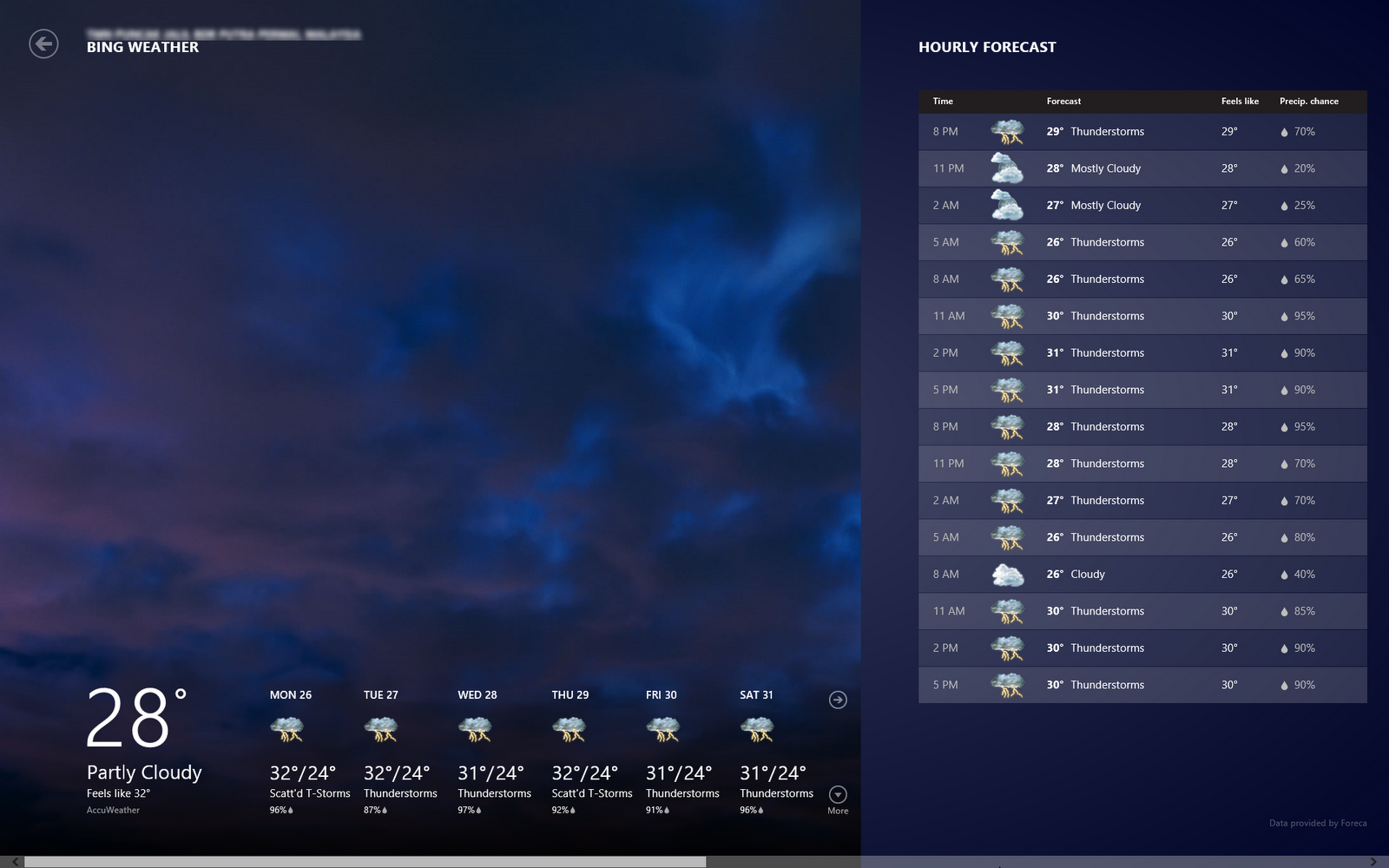
Weather
Interesting part of this weather is that once you allow the application to use your location, it will pull the current and forecast weather for your location.

Windows Store
Although there are not that many applications (yet) in the store (comparing to the Android!), but the look and feel is nice. The games also optimized to the user interface and touch experience. You can try the game 'flow'! Quite a good game to kill time.


Start Page with All the Crucial Information you need!
Interestingly, I found out that the Metro Style Start Menu or Start Page is more that just a shortcut, but it also serves as center of information. Your latest email preview will be shown here, similarly the weather and also the event on your calendar.

New Shortcut Keys
There are new shortcut keys introduced in Windows 8. Below are a few (if not all) that I found:
Windows Key + X
Display setting menu near the old Start Menu

Windows Key + C
Open the Right Bar

Windows Key + F
Open Find Application

Windows Key + H
Open Share List

Windows Key + K
Open Devices List

Windows Key + Q
List All Applications Installed

Windows Key + W
Open Settings

Windows Key + . (period)
View Running Applications as Right Side Bar

Click here to download the Windows 8 Consumer Preview (beta)
Happy Trying the Beta!

:: aerobrainTech ::

Thursday, March 1, 2012

Windows 8 Consumer Preview is here!


Windows Consumer Preview is available for download now!! You may visit the below link to download the ISO image file. It is available for 32-bit as well as 64-bit machines. The size of the ISO files are 3.3GB for 64-bit and 2.5GB for 32-bit. It is also available in 5 different languages, English, Chinese, French, German and Japanese.

Download Windows Consumer Preview

The most exciting part is when Microsoft redefines the concept of mouse and keyboard and optimize the windows for touch. It is easier and friendlier to access commands and running apps instead of on the traditional taskbar (introduced since Windows 95). For me, it is really worth to try for normal users and for the application developers. This could be the next trend!


:: aerobrainTech ::

Wednesday, February 29, 2012

Windows 8 Consumer Preview Releasing Today!

To all Windows' Fans .. users and developers, Windows 8 Consumer Preview (which traditionally called Beta version) will be released in a few hours.

This version will include (if not more) the following new features and updates:
  • new Metro-style applications!
  • more online features - save file directly to SkyDrive
  • picture identification using camera instead of password
Please stay tuned for more updates!

Monday, September 26, 2011

Windows 8


Windows 8 has been released for download from MSDN website intended for developer to have a feel and develop applications to suit the new interface. You might be confuse because it won't appear as Windows 8 but as Windows Developer Preview. You may visit this url to download: http://msdn.microsoft.com/en-us/windows/home

I've installed the Windows Developer Preview on laptop as well as tablet. I found out that the minimum resolution needed for the 'Metro style apps' to work is 1024 x 768. However, if your laptop/netbook/tablet maximum resolution still can't reach this resolution, there is a work around which is hacking the registry as explained below:

  1. Run 'regedit'
  2. Search and modify all values “Display1_DownScalingSupported” from “0″ to “1″ 
  3. Restart the system 
  4. Enjoy the two new resolutions: 1024×768 px and 1152×864 px
Here are some interesting stuff I found it better that Windows 7:

Metro Style Apps - really nice especially for tablet/touch screen devices

Large button on screen keyboard - good for tablet/touch screen devices

There are more new features:
  • New login/logout style
  • Lock screen displays full screen picture that can act as a picture frame
  • New task manager interface

In terms of stability, there are few hiccups in this release whereby I realized that if the device were left for quite sometime (2-3 days), it system hangs/very slow after wake up from hybernating.

That's all for now. Stay tuned!

:: aerobrainTech ::